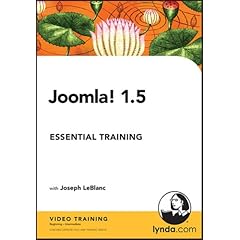
Many types of websites can be built and maintained more easily using a content management system (CMS). A CMS provides a web-based interface for creating and organizing content. The content is stored in a database, then consistently presented according to a set of templates and preferences, which eliminates the need to handcraft each page in HTML. Joomla! is a popular, easy-to-use, open-source CMS built in PHP. It has near-limitless functionality, thanks to its community of extension developers. In Joomla! 1.5 Essential Training, Joseph LeBlanc uses Joomla! to build a small-business website from scratch with no programming at all, from installation to launch. He demonstrates how to create and organize content; add menus, sidebars, and other features; change the look with templates; install plug-ins and extensions; and much more. Exercise files accompany the course.
Table of contents0. Introduction
- Welcome
- What is a content management system?
- What is Joomla!?
1. Installing
- Overview of the installation process
- Installing MAMP
- Installing WAMP
- Using other services and resolving issues
- Installing Joomla! 1.5
- Using the example files
2. Creating Content
- Adding content to the front page
- Using Read More
- Creating individual pages of content
- Dividing long articles using page breaks
- Formatting content
- Adding an external link
- Adding article images
- Deleting content
3. Organizing Content into Sections and Categories
- Creating sections and categories
- Organizing content
- Using the Blog Layout options
- Using the List Layout options
- Modifying section and category details
- Adding section and category descriptions
4. Setting Content Display Parameters
- Setting Global Configuration parameters for articles
- Setting individual article configuration parameters
- Setting content access parameters
- Ordering articles
- Setting publishing parameters
- Setting article icons
- Setting metadata
5. Creating Menus for Your Site
- Using menus
- Using other menu items
- Creating parent menu items
- Setting menu item details
- Setting the menu item page title
- Creating additional menus
- Changing the default menu items
- Deleting menu items
6. Using Modules
- Creating a sidebar
- Configuring modules
- Assigning modules to menu items
- Creating a login module
- Creating a breadcrumb module
- Creating a syndicate module for RSS feeds
- Using other modules
7. Using Components
- Using the content component
- Creating a contact component
- Creating a poll component
- Creating a search component
8. Managing Users
- Creating a user
- Granting user permissions
- Allowing self-registration
- Allowing users to modify user details
9. Using Global Tools
- Modifying global configurations
- Reading and writing private messages
- Using the Mass Mail feature
- Using the Media Manager
- Using Joomla! help
10. Using Templates
- Changing the look of the site using templates
- Assigning templates
- Adjusting templates with the HTML Editor
11. Extending Joomla! 1.5
- Using plug-ins
- Using extensions
- Managing languages in the site
- Joining the Joomla! community
12. Launching Your Site and Beyond
- Launching your site
- Understanding SEO
13. Conclusion
Filefactory:http://www.filefactory.com/file/a38d50
http://www.filefactory.com/file/8786fc
http://www.filefactory.com/file/b0930c
Rapidshare:http://rapidshare.com/files/123062764/LJ1.5ETraining.part1.rar
http://rapidshare.com/files/123063352/LJ1.5ETraining.part2.rar
http://rapidshare.com/files/123063486/LJ1.5ETraining.part3.rar